Backup and recovery
For administrators who can change backup settings, run tasks, download/delete files, and read backup history. The backend needs readable world/database/config sources and writable destinations; backups do not provide one-click restore.
Purpose
Save the world, database, and server configuration on a shared time-zone and cron policy, keep verifiable run records, and recover from a severe incident without overwriting the only original copy.
Before you begin
- Confirm that the account can update backup settings, run tasks, download files, delete files, and read backup history; reserve deletion for on-call administrators.
- Prepare a different writable destination for each sub-feature. Relative paths resolve under the server application root; use safe placeholders and never put a real disk path in docs or tickets.
- Define the recovery window, shutdown owner, database location, and validation steps. Run one manual backup first, then inspect its files read-only.
World: <SERVER_BACKUP_ROOT>/world
Database: <SERVER_BACKUP_ROOT>/database
ServerConfig: <SERVER_BACKUP_ROOT>/server-config
Procedure
Settings
- Enable or disable the backup master switch and enter a shared
TimeZoneIdsuch asUTCorAsia/Shanghai. This time zone evaluates cron for World, Database, and ServerConfig; do not substitute a browser display time for the saved zone. - Set
HistoryRetentionDays. It cleans backup run history and does not replace each sub-feature's fileRetentionCount; export records separately when long-term audit is required. - Save and reload Settings, confirming the master switch, shared time zone, and history retention. A cron job is registered only when both the master feature and its sub-feature are enabled.
Tasks
- Open Tasks and select the World, Database, and ServerConfig tabs. Each tab has its own enabled state, cron, destination, compression, and file-retention settings.
- World can enable
SaveWorldBeforeBackup, which requestssaveworldbefore copying the save. Database creates an online SQLite snapshot. ServerConfig copies the current server configuration file. - Choose
CompressToZipfor a ZIP archive or clear it for a directory output. SetRetentionCountfor disk policy: a negative value disables file pruning,0keeps only the current output, and a positive value keeps the newest count. Use separate destinations so the sub-features cannot prune one another. - To notify players, enable start/complete broadcasts and enter messages. Messages support
{taskName}; completion messages also support{status}. A broadcast is a notice, not proof that files were verified. - Save, then use Run now once and confirm the sub-feature and reason in the dialog. The task file table can download or delete entries under the configured destination; check file name, creation time, and type before deleting.
Recovery runbook
- Announce maintenance and stop the 7DTD game, backend writes, and every automatic task that could change the target data; keep the administrator session and original logs.
- Copy the current world, database, and config into an isolated retention directory such as
<RECOVERY_STAGING_ROOT>/currentinstead of overwriting them. Record version, time, and file size. - Select a known-good backup from the file table or History. Check task type, creation time, compression, source, and run status; extract a ZIP in an isolated directory and check that it is readable.
- While services are stopped, restore by type: put World contents into the matching save under
<7DTD_SERVER_ROOT>/Saves, put the Database snapshot at<SERVERADMIN_DATABASE_FILE>, and put the ServerConfig file at<SERVER_CONFIG_FILE>. Keep the original retention copy until validation is complete. - Start the backend and game in order, then check startup logs, world loading, database reads/writes, effective configuration, and player connection. If anything is wrong, stop services and roll back from the isolated copy; record the selected backup, operator, time, and validation result.
History
- Filter Backup history by task type (World, Database, ServerConfig), trigger source (
Cron/Manual), success, and time range. - Open a run and inspect status, summary, error message, warnings, source count, output path, compression, start/end time, duration, and operator. A successful row still requires confirming that the output is downloadable.
- Compare file-table creation time, size, and type with the run details. For a failure, fix destination permissions, free space, readable sources, and database connectivity before retrying, while retaining the failed row.
- Export required audit evidence before pruning old run rows by
HistoryRetentionDays; before deleting files byRetentionCount, confirm that the recovery window no longer depends on them.
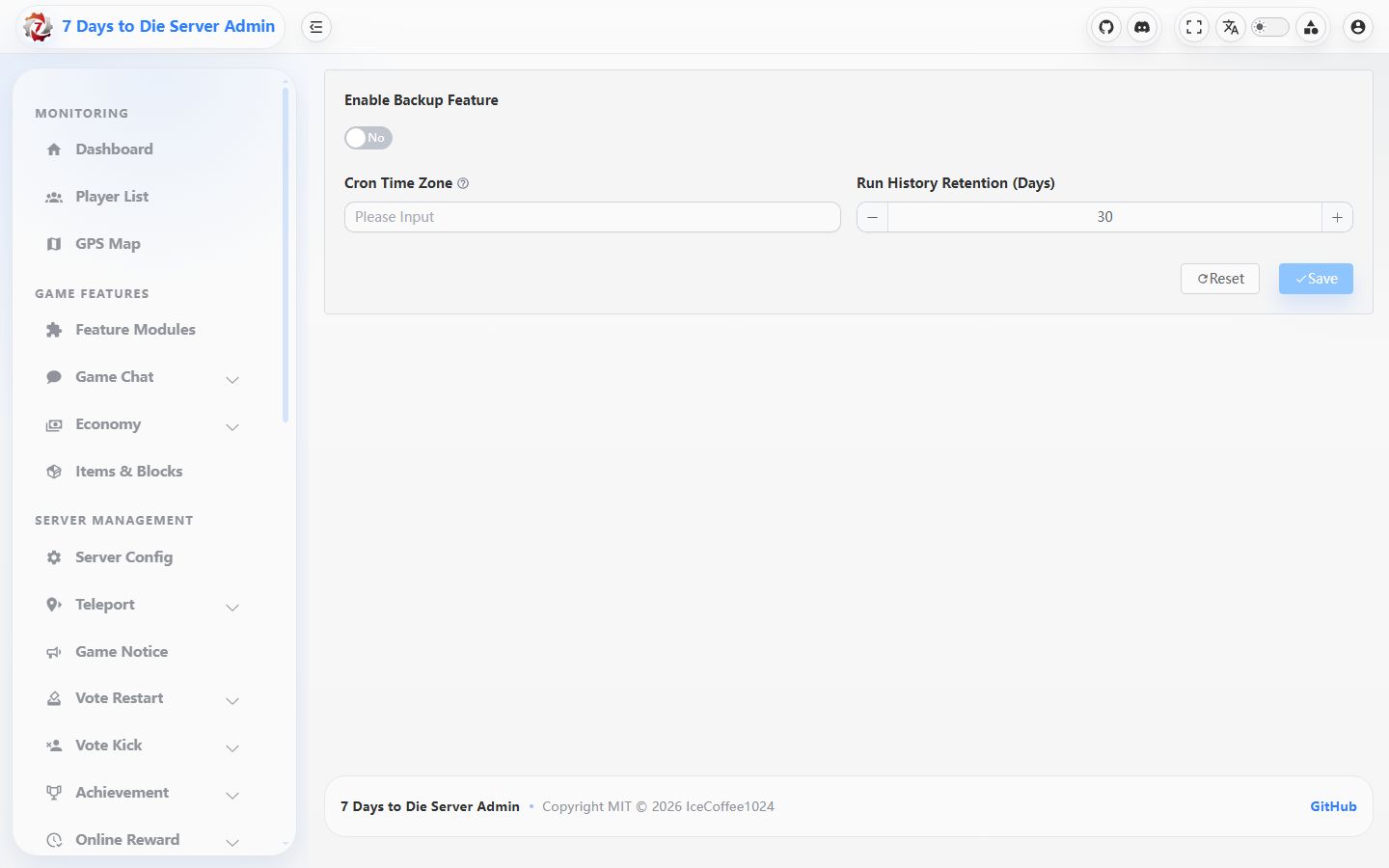
The screenshot shows Backup settings controls; it does not show a run history, output file, or server path.
Verify the result
- All three tabs show the saved enabled state, cron, destination, compression, and file retention; the shared time zone is effective for all three tasks.
- Each enabled sub-feature has at least one successful run and an output file. World details show the save step when enabled, the Database file can be read as an SQLite snapshot, and the ServerConfig file opens with the expected keys.
- With compression enabled the file table shows a ZIP; with it disabled it shows a directory. After pruning, the file count follows
RetentionCount. Start/complete broadcasts appear only when enabled with valid templates. - A recovery rehearsal starts and passes read-only checks from an isolated copy, while original data remains intact and History/audit records identify the selection, operator, and outcome.
Limits and safety notes
WARNING
Backups depend on readable sources, writable destinations, disk space, and the correct server time zone. saveworld applies only to the World task, and broadcasts do not replace file verification; compression and retention change disk use and deletion behavior.
DANGER
Recovery overwrites the world, database, or server configuration. There is no one-click restore endpoint: stop services, retain the current copy, validate the archive in isolation, and have a second administrator review the target before replacement. Never delete the last recoverable version, and never publish real paths, database data, webhooks, or tokens.
- The file-delete endpoint accepts only an entry name under the destination root, but still check type and time before clicking. Download files only through a protected management session.